Four groups. Each hands the next something it can use.
01 · Foundation
Who you are, in a form a funder can read.
01
Funding Readiness
Start here
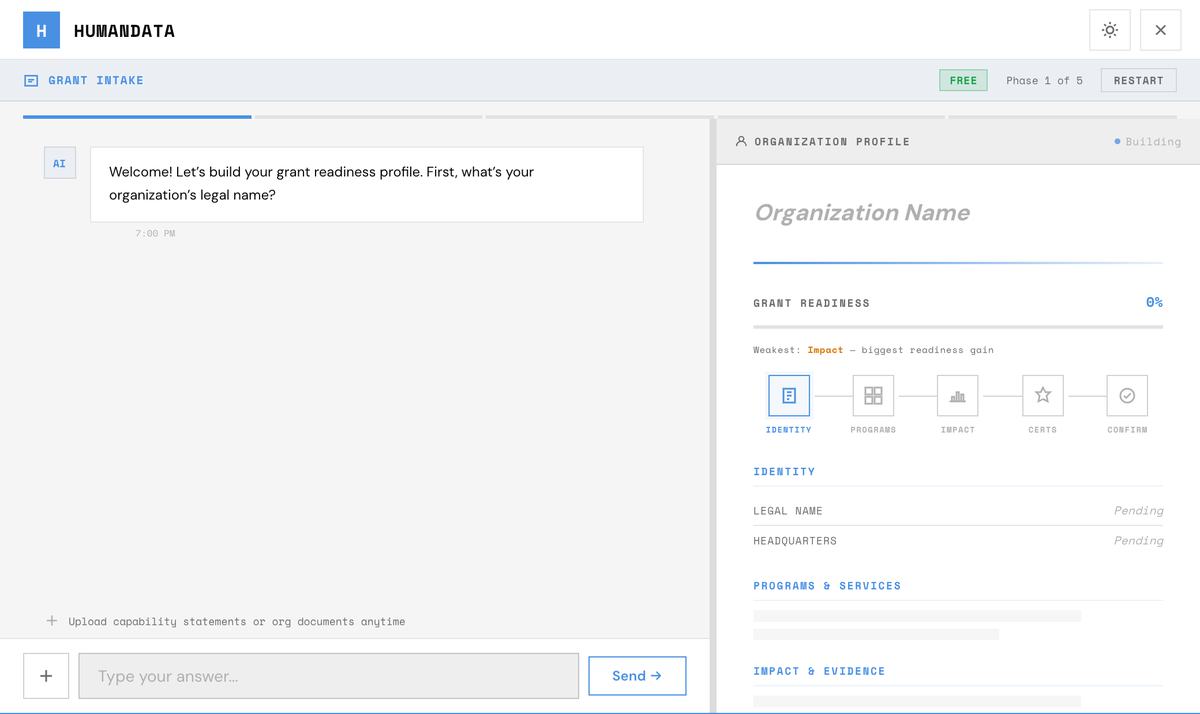
A guided conversation that builds your organization profile: what you are, what you deliver, which registrations and certifications you hold, and whether you are chasing grants, contracts, or both.
It ends at that choice, because the rest of the product branches on it. Drop in whatever you already have and it reads that instead of asking you to type it out again.
Reads
Your profile so far, and anything you upload.
Hands back
A profile every other capability works from.
Starts from
The skill menu, onboarding, or your profile.
The conversation on the left, and the profile it builds on the right. Example data.
02
Strategic Planning
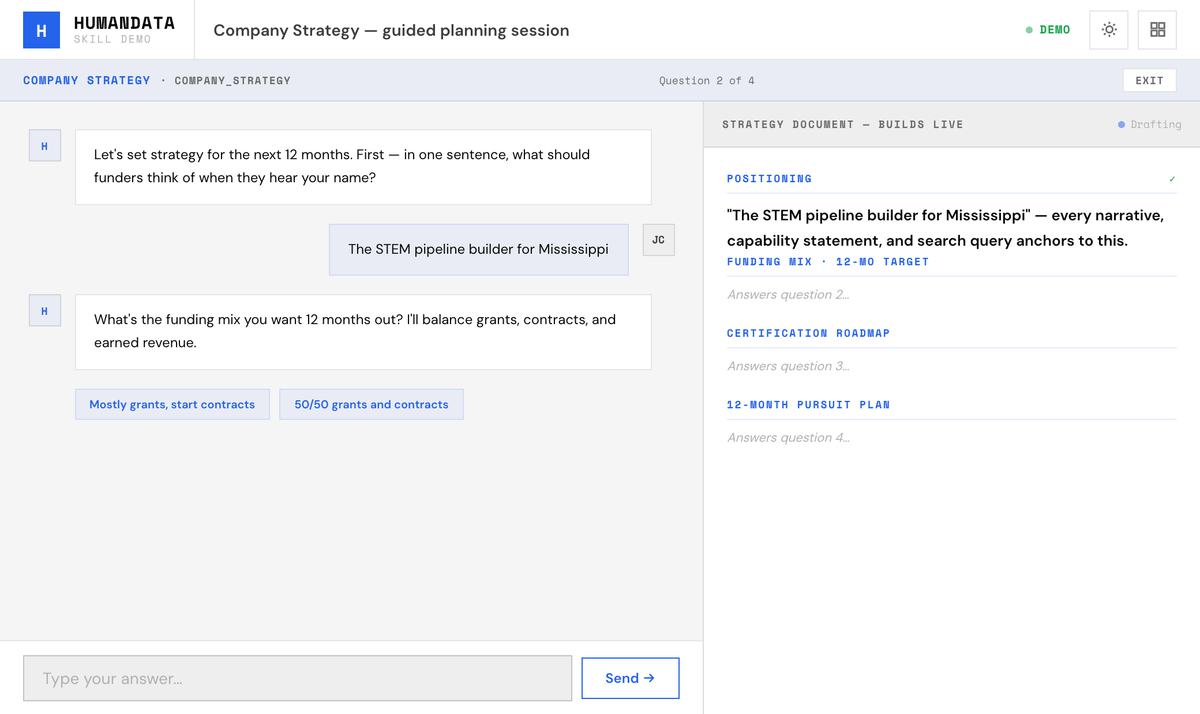
A planning session that produces positioning, your funding mix, a certification roadmap — 8(a), WOSB, HUBZone and the rest — and a twelve-month pursuit plan.
It writes back to your profile as a strategy document rather than leaving the conclusions in a chat you will not find again.
Reads
Your profile, your pipeline and the documents in Knowledge.
Hands back
A strategy document, kept in Knowledge.
Starts from
The skill menu, or the dashboard.
The session, with the strategy document building as each question is answered. Example data.
03
Story Collection
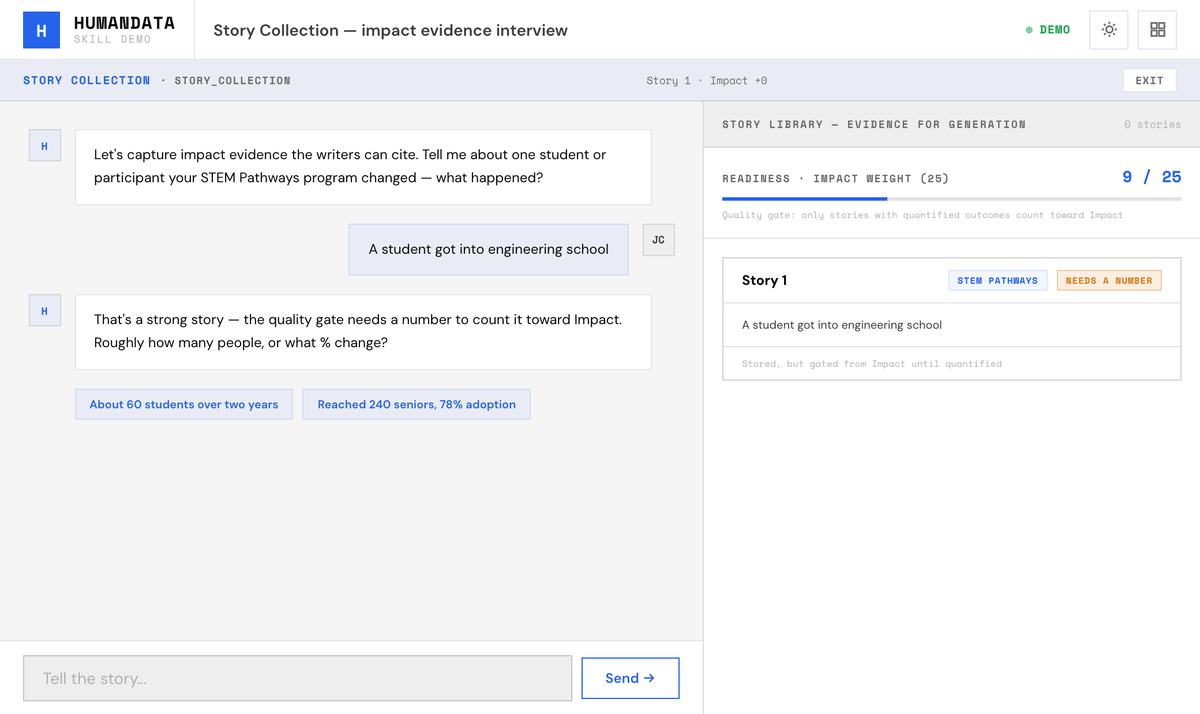
Interviews you for impact stories, testimonials and outcomes you can put a number on. Each one is tagged by program and handed to the writing step as evidence.
This is the difference between a narrative that asserts and one that demonstrates. A reviewer scores the second.
Reads
Your profile and your programs.
Hands back
A story library, kept in Knowledge.
Starts from
The skill menu, or a prompt when your evidence is thin.
The interview asks for the number, and the story joins the library once it has one. Example data.
What is open to you, filtered by what you actually are.
04
Grant Search
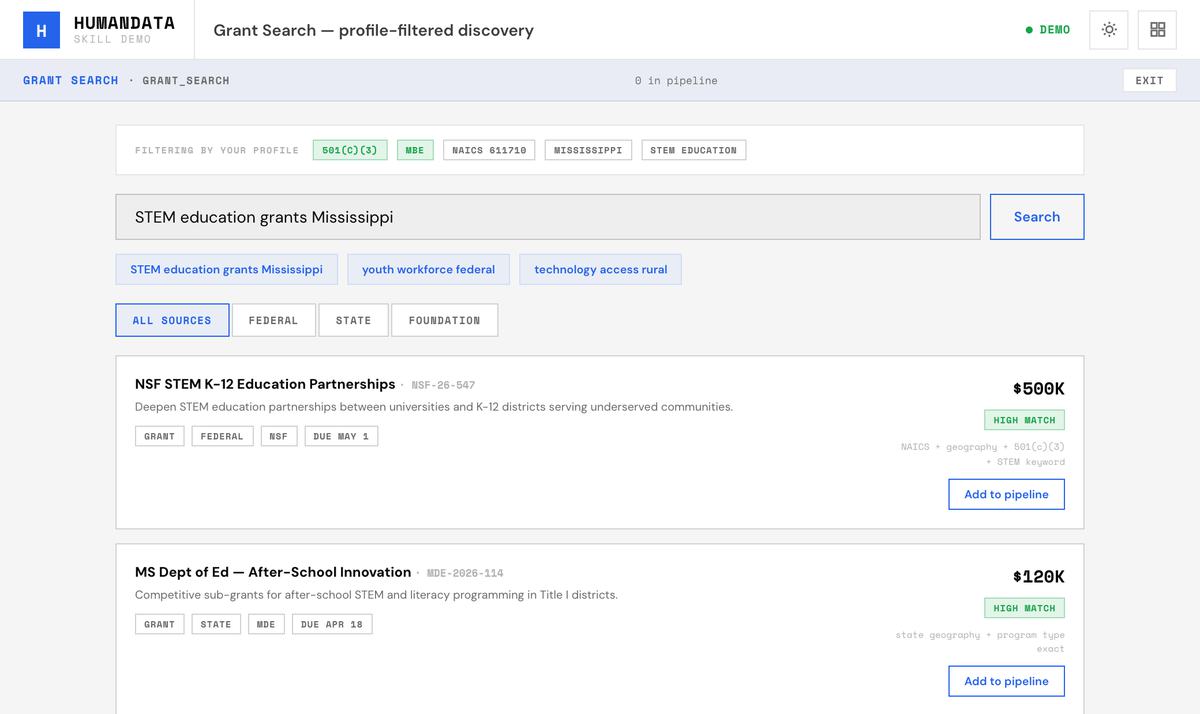
Ask in plain language. It searches SAM.gov, Grants.gov and state portals, filtered by your profile, and the results land as opportunity cards in your pipeline rather than as a list you have to re-key.
Reads
Your profile, and the filters you set.
Hands back
Opportunity cards, in your pipeline.
Starts from
The skill menu, or the Opportunities tab.
A search in plain language, with each result matched against the profile strip above it. Example data.
05
Add Opportunity
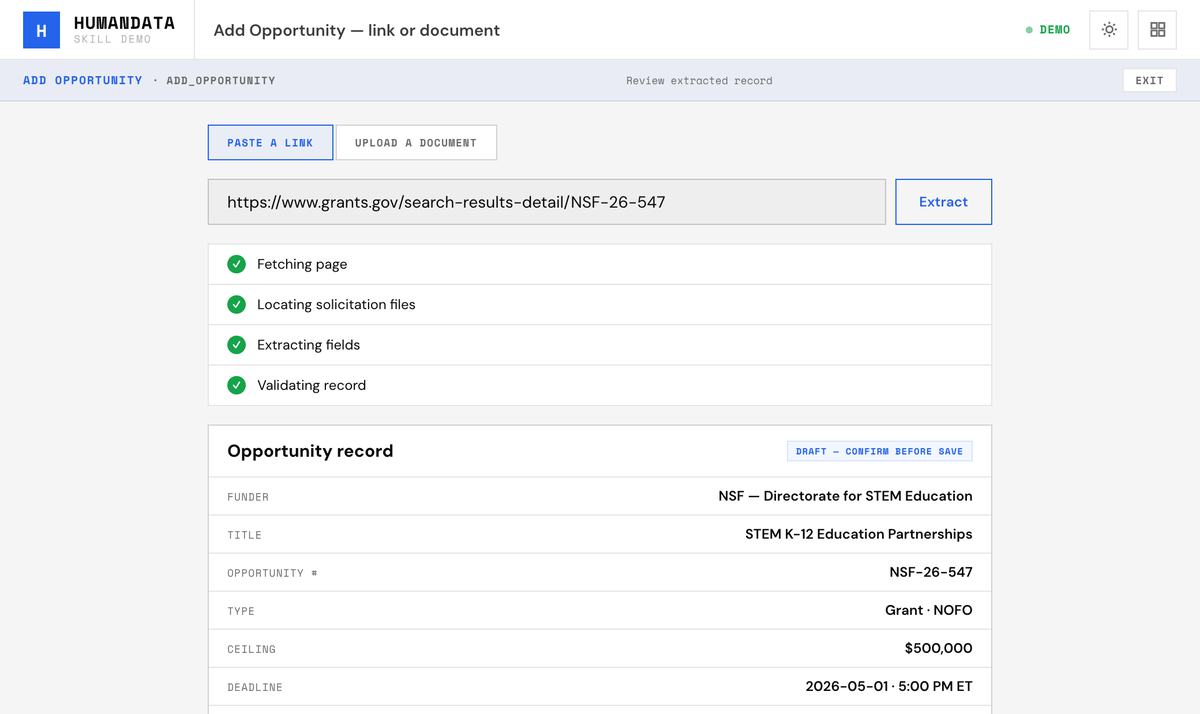
Somebody forwards you a link. Paste it, or drop the solicitation document in, and it comes back as a structured record: funder, value, deadline, codes, set-aside and attachments.
Two minutes instead of a browser tab you meant to come back to.
Reads
A link, or a document.
Hands back
An opportunity record, for you to confirm before it is saved.
Starts from
The skill menu, the Opportunities tab, or a file dropped on the page.
A pasted link, read into a record that waits for you to confirm it. Example data.
06
Funder Language
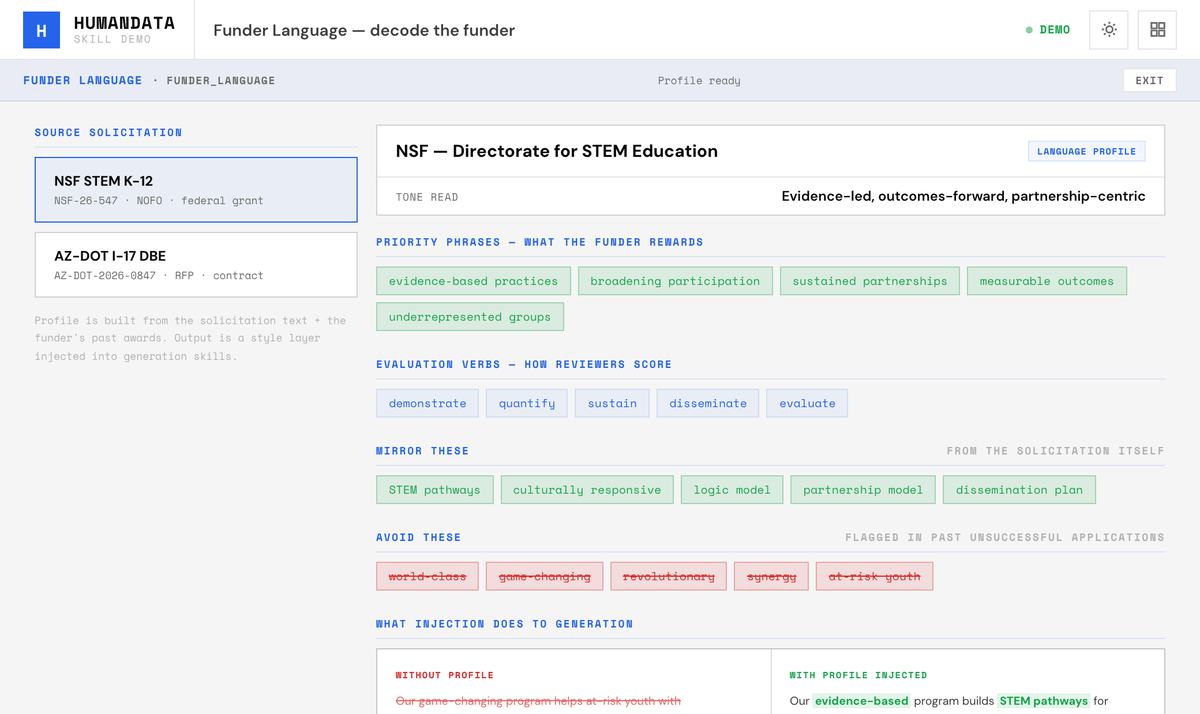
Reads the solicitation and that funder’s past awards for the vocabulary they reward: the priority phrases, the evaluation verbs, the terms to mirror and the terms to avoid.
It is applied as a style layer over the writing, which is how a draft stops reading like a template and starts reading like it was written for that program.
Reads
The solicitation, and the funder’s past awards.
Hands back
A language profile, applied to whatever is written next.
Starts from
The skill menu, or an opportunity’s page.
One funder’s vocabulary, sorted into what to mirror and what to avoid. Example data.
Solicitation to draft, with the shape agreed first.
07
Eligibility Analysis
GO / NO-GO
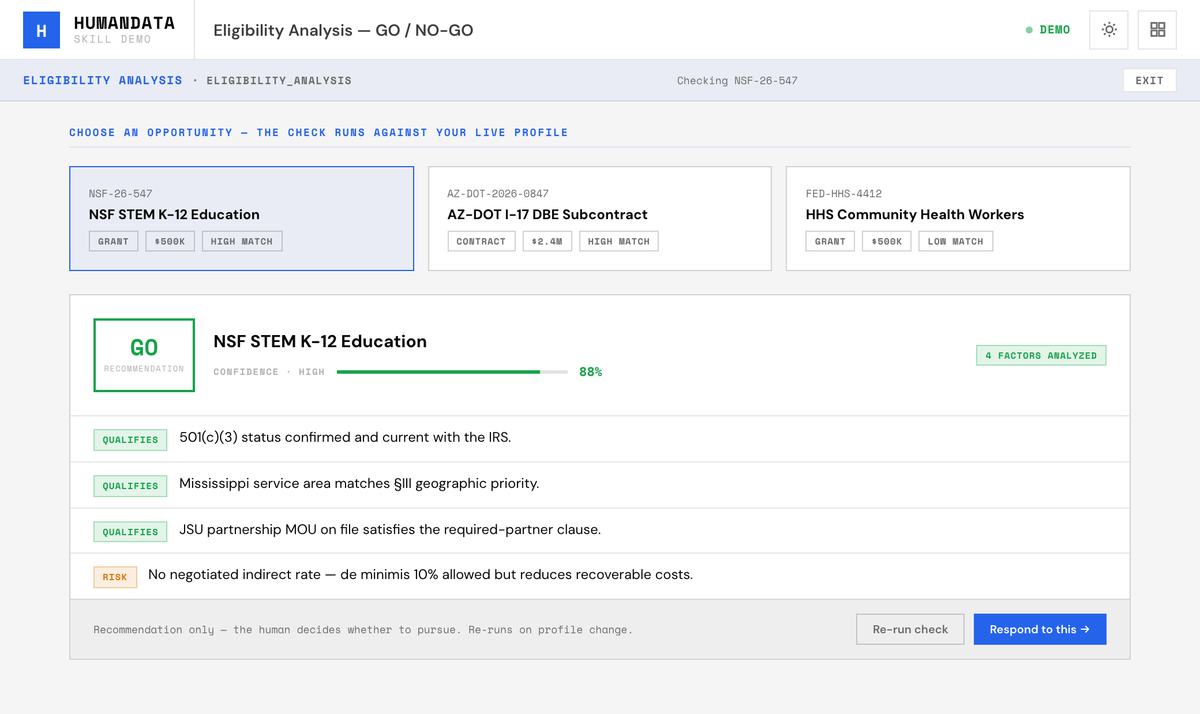
A recommendation with a confidence level, the factors that qualify you, and the factors that put you at risk. It reads your profile, the opportunity and your certifications.
A NO-GO is as useful as a GO, and considerably cheaper. It names what would have to change, which is often a single registration.
Reads
Your profile, the opportunity and your certifications.
Hands back
A GO or a NO-GO, with the reasons named.
Starts from
The skill menu, an opportunity, or inside a response.
A GO, the confidence behind it, and the one factor that puts it at risk. Example data.
08
Opportunity Response
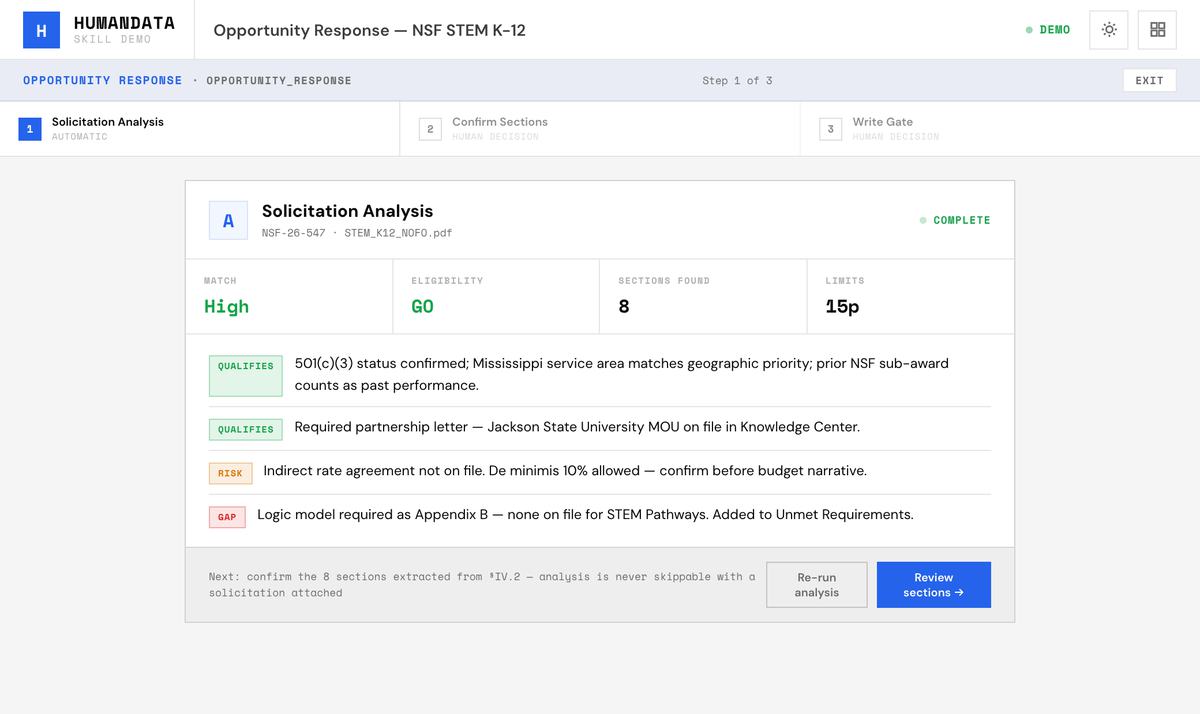
The starting point on any opportunity. It analyzes the solicitation, derives the sections the funder is actually asking for, and shows you that schema to confirm before generation begins.
Then it hands off to the writing agent in the right mode — grant or contract — because those are different documents with different rules.
Reads
The opportunity, and its solicitation.
Hands back
A section list you have confirmed, passed to the writing agent.
Starts from
Respond, on any opportunity.
The analysis runs on its own. The next two steps are yours. Example data.
09
The writing agent, in grant mode
Works section by section
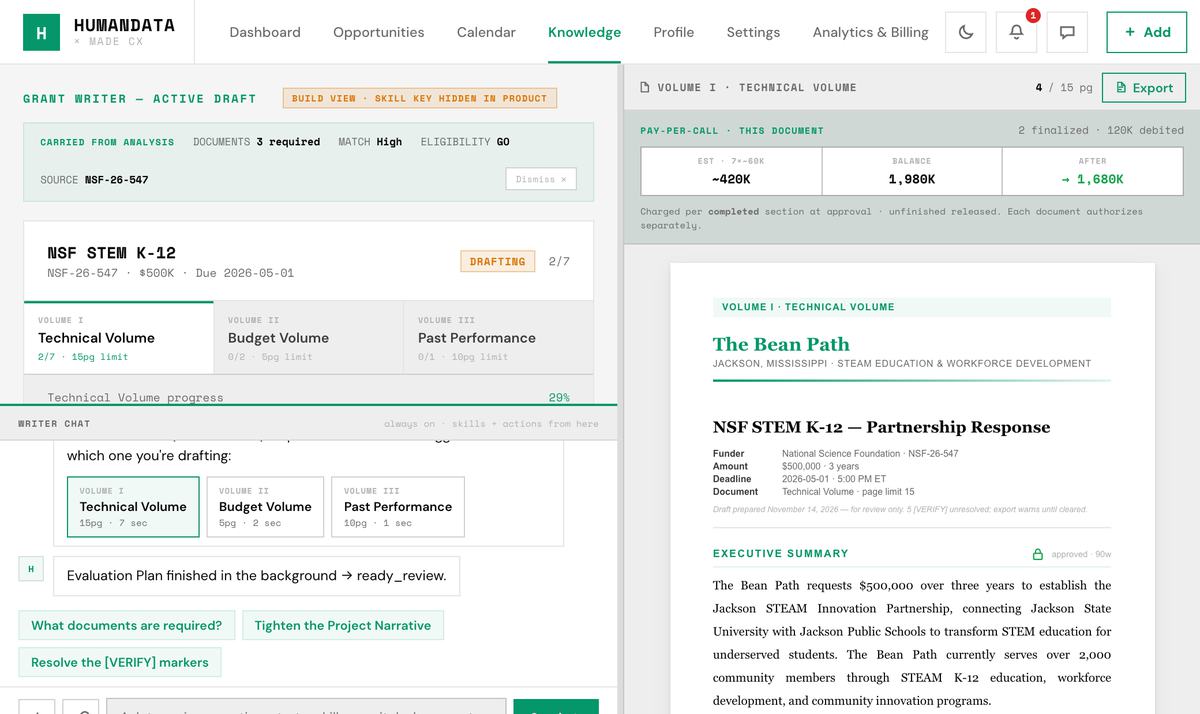
An agent working a structure it agreed with you: it takes one section at a time, writes against the solicitation and your knowledge base, and stops. On each section you Approve, Revise, Edit or Skip.
Anything it could not verify stays marked in the text for a human to resolve. It does not smooth over a gap to make the prose read better.
Reads
Knowledge, the confirmed sections, the draft so far and what you tell it.
Hands back
A draft, section by section, with a state on each.
Starts from
Only after you have confirmed the sections.
The sections and their states on the left, the document on the right. Example data.
10
The writing agent, in contract mode
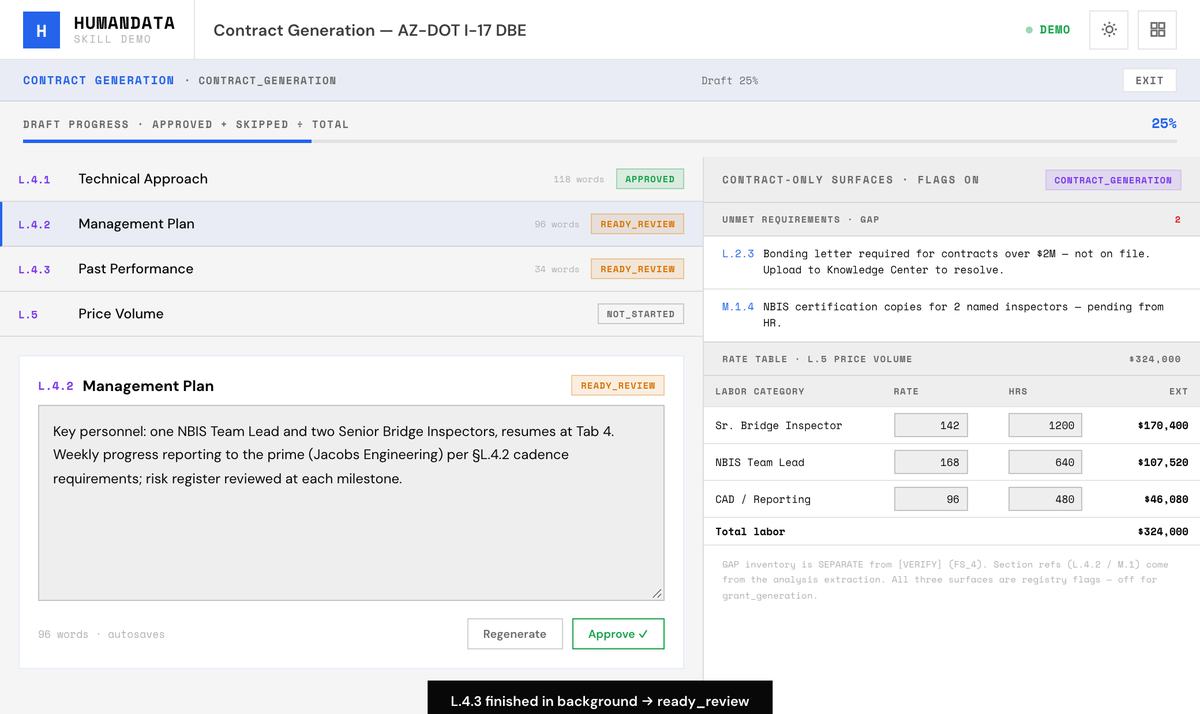
The same agent, speaking contract: section-number references against L and M, an inventory of requirements you do not yet meet, and the rate table.
The order comes from the solicitation, so what the evaluator checks first is what gets written first.
Reads
Knowledge, the confirmed sections, the draft so far and what you tell it.
Hands back
A draft in the solicitation’s own order, with unmet requirements listed.
Starts from
Only after you have confirmed the sections.
Sections numbered as the solicitation numbers them, beside the requirements still unmet and the rate table. Example data.
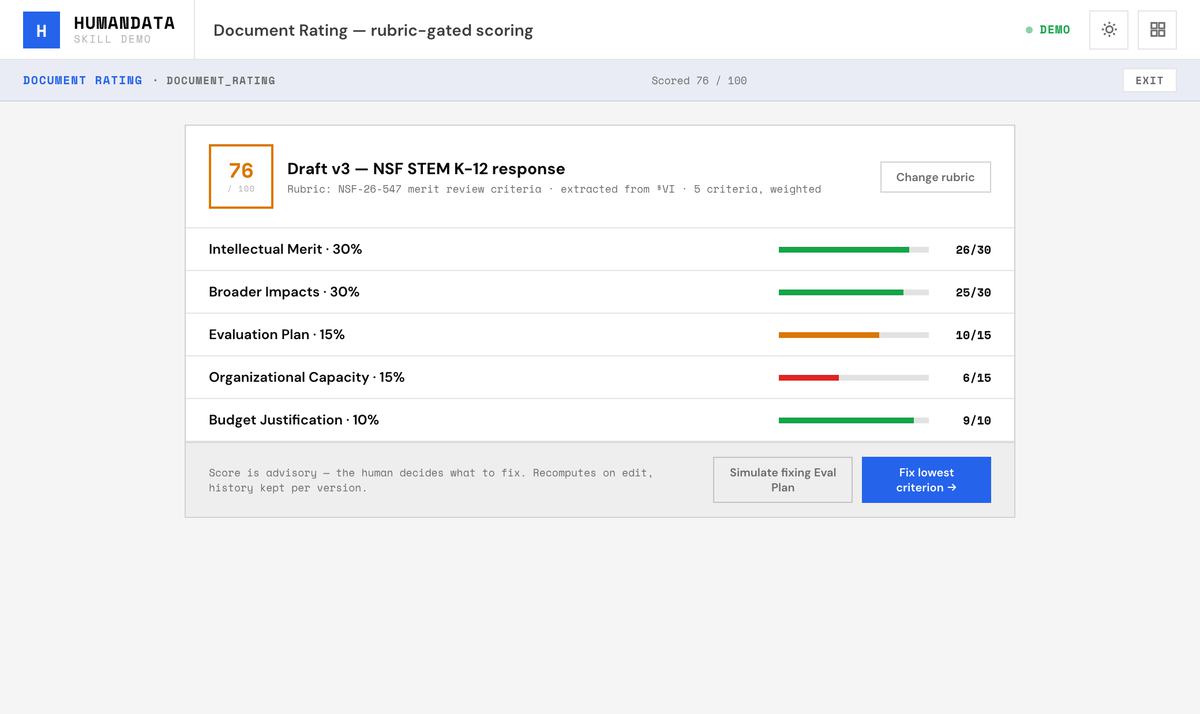
Scores any document — a draft, a capability statement, a narrative — against a named rubric: the funder’s own evaluation criteria, your internal QA standard, or one you supply.
If there is no rubric on file it asks you for one before scoring. It will not invent criteria and hand you a number.
Reads
The document, the rubric and the solicitation.
Hands back
A scorecard, criterion by criterion.
Starts from
The skill menu, the writer’s toolbar, or Knowledge.
A draft against a named rubric, with a score for every criterion. Example data.